Letter Q, Swirl Ornamental Monogram: A Guide to Elegant Vector Design
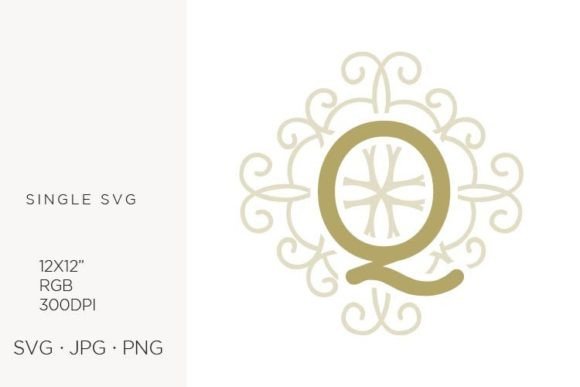
The letter Q often presents a unique challenge in monogram design. Unlike simpler characters, it carries a tail that demands careful placement to maintain balance and elegance. The Letter Q, Swirl Ornamental Monogram addresses this by integrating fluid curves with structural integrity, offering a sophisticated solution for branding and personal projects. This single vector artwork is not merely a decorative element; it is a foundational asset designed to elevate logos, wall art, and printed materials. Whether you are a seasoned graphic designer or a hobbyist crafting handmade invitations, understanding how to leverage this specific digital asset can significantly impact the quality of your final output.
Many creators overlook the technical specifications of digital assets until after they have purchased them, leading to frustration during the production phase. This particular design comes as a 12x12 inch artboard at 300 dpi within an RGB color palette, packaged in a zip file containing SVG, JPG, and PNG formats. While these specifications sound standard, there are common pitfalls regarding how these files are applied across different mediums. Recognizing these nuances ensures that your investment in the Letter Q, Swirl Ornamental Monogram translates into professional results rather than pixelated disappointments.
Understanding the Value of Vector Precision
The primary advantage of this artwork lies in its vector nature, created in Adobe Illustrator and saved as version 10. Vectors differ fundamentally from raster images because they use mathematical equations to define shapes rather than a grid of pixels. This distinction is critical when scaling the Letter Q, Swirl Ornamental Monogram. A common mistake among beginners is treating a vector file like a standard photograph. If you attempt to stretch a low-resolution image to fit a large banner, it will become blurry and jagged. With a vector SVG file, however, the intricate swirls and lines remain crisp regardless of size.
This scalability makes the asset ideal for diverse applications ranging from small stationery items to large-scale party decor. For instance, if you are designing a wedding invitation suite, you might need the monogram at a tiny size on a thank-you note and a massive size on a backdrop. Using a raster-only file would require multiple versions or result in poor print quality. By utilizing the included SVG, you ensure consistency across all touchpoints. The ability to edit the file in a vector program allows you to adjust line weights or colors without degrading the image, providing flexibility that static JPEGs simply cannot offer.
Common Pitfalls in File Format Selection
Despite the versatility of the included files, users frequently make errors in selecting the right format for their specific task. The zip file provides three distinct options: one SVG, one JPG at 300 dpi, and one PNG with a transparent background at 300 dpi. Each serves a unique purpose, yet many creators default to the wrong one based on habit rather than necessity.
- Misusing JPG for Print: While the included JPG is high resolution (300 dpi), it lacks transparency. If you place this file over a colored background for a logo or card, you will be stuck with an unwanted white box around the monogram. This forces you to use photo editing software to remove the background, which can introduce artifacts around the delicate swirls of the Q.
- Ignoring Transparency in PNG: The PNG file is excellent for web design or overlaying on photos, but it is still a raster image. If you plan to scale this up for a large vinyl decal or a billboard, the PNG may lose clarity. It should be reserved for screen-based graphics or fixed-size prints where the dimensions do not exceed the original 12x12 inch scope significantly.
- Neglecting the SVG for Customization: The SVG file is the most powerful asset in the package. However, some users hesitate to open it because they lack experience with Adobe Illustrator. Avoiding the SVG limits your creative potential. You miss out on the ability to change the stroke width, alter the color palette to match your brand, or integrate the monogram seamlessly into other vector elements.
To avoid these issues, always start with the SVG file for any project requiring resizing or customization. Use the PNG only for quick web implementations where a transparent background is needed but no editing is required. Reserve the JPG for situations where you need a quick preview or a solid background is acceptable.
Color Management and Print Quality
Another area where expectations often clash with reality involves color modes. The Letter Q, Swirl Ornamental Monogram is provided in an RGB color palette. This is standard for digital screens, where light creates the colors we see. However, print operates differently using CMYK (Cyan, Magenta, Yellow, Key/Black). A frequent oversight occurs when designers take an RGB file directly to a commercial printer without converting the colors first.
When RGB colors are sent to a printer expecting CMYK, the resulting hues can appear duller or shifted. Vibrant neons, for example, may print as muddy pastels. This discrepancy can ruin the aesthetic of handmade craft items or announcements. To prevent this, you should open the SVG file in your vector software and convert the color mode to CMYK before sending it to print. This step ensures that the deep blacks and rich tones of the ornamental swirls translate accurately onto paper.
Furthermore, consider the texture of your printing medium. A glossy finish will reflect light differently than matte cardstock. The fine details of the swirl ornamentation might get lost on highly textured paper if the line weight is too thin. Before finalizing your design, test print a sample on the actual material you intend to use. This practical check saves time and resources by confirming that the Letter Q, Swirl Ornamental Monogram retains its legibility and elegance on your chosen substrate.
Strategic Application in Branding and Decor
Beyond technical execution, the strategic application of this monogram determines its effectiveness. The ornate style of the Q suggests luxury, tradition, and attention to detail. It pairs well with serif fonts and elegant layouts, making it perfect for wedding invitations, boutique logos, or high-end stationery. However, using such a detailed element in a context that requires minimalism can create visual clutter.
For example, placing a heavy, swirling Q next to a bold, modern sans-serif typeface might create a disjointed look. The contrast between the organic curves of the monogram and the rigid geometry of the text can feel unbalanced. Instead, pair it with script fonts or classic serifs that complement the ornamental nature of the design. In web design, ensure there is sufficient negative space around the monogram. Crowding the element with other graphics diminishes its impact and makes the design feel busy.
When creating handmade cards or party decor, think about the hierarchy of information. The Letter Q, Swirl Ornamental Monogram should act as a focal point or a framing device, not compete with the main message. On an announcement card, let the monogram anchor the corner or center while the text remains clear and readable. By respecting the visual weight of the design, you ensure that the final product communicates sophistication rather than confusion.
Final Checklist Before Download and Use
Before you finalize your decision to use this digital asset, run through a quick mental checklist to ensure it meets your project needs. First, verify that you have access to software capable of opening SVG files, such as Adobe Illustrator or a compatible alternative. Without this capability, you cannot fully utilize the vector benefits. Second, confirm that your intended use aligns with the license terms of the download. While this guide focuses on technical application, ensuring you have the rights to use the file commercially is essential for entrepreneurs and small business owners.
Third, assess the complexity of your workflow. If you are new to vector editing, take a moment to explore the file structure before committing to a design. Adjusting the anchor points of the swirls can refine the shape to better suit your layout. Finally, remember that the 12x12 inch artboard size is a starting point. You are not limited to this dimension; the vector nature allows you to expand or contract the design as needed. By approaching the Letter Q, Swirl Ornamental Monogram with a clear understanding of its capabilities and limitations, you transform a simple graphic file into a powerful tool for creative expression.